Admob setup
Admob is a popular advertising platform that allows you to monetize your app by displaying ads. This guide will show you how to set up Admob in your flutter app.
Setup
Go to the Admob website and sign up for an account.
Create a new project and name it.
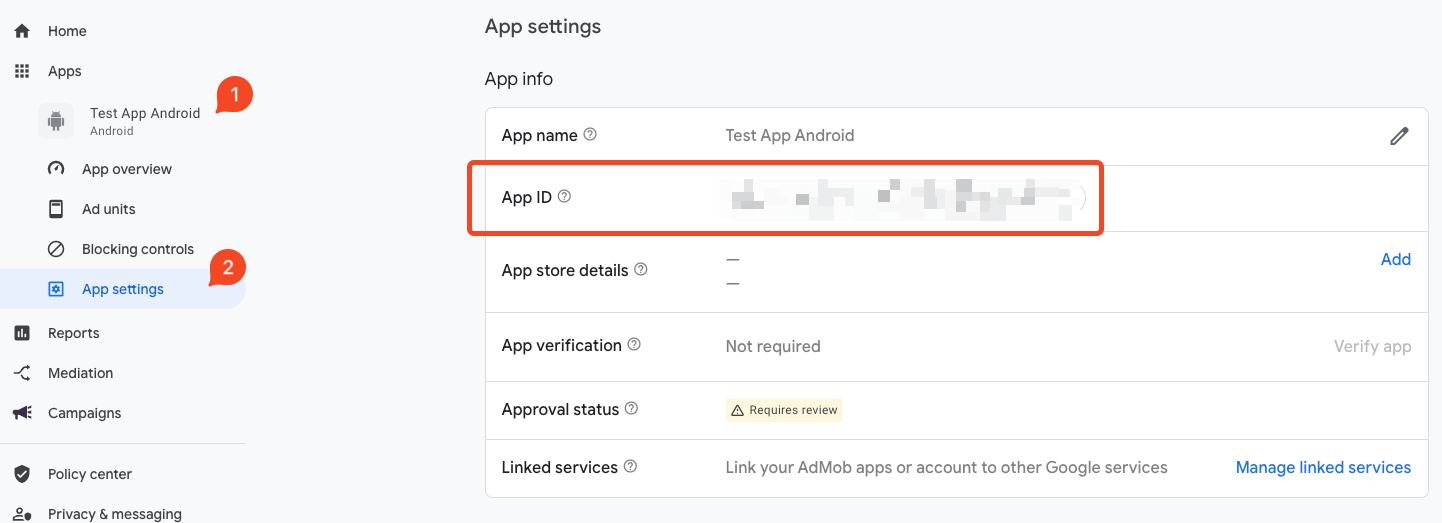
Click on the app that you created, then click on
Ad Unitssection. Click onAdd Ad Unitand select the type of ad unit you want to create.
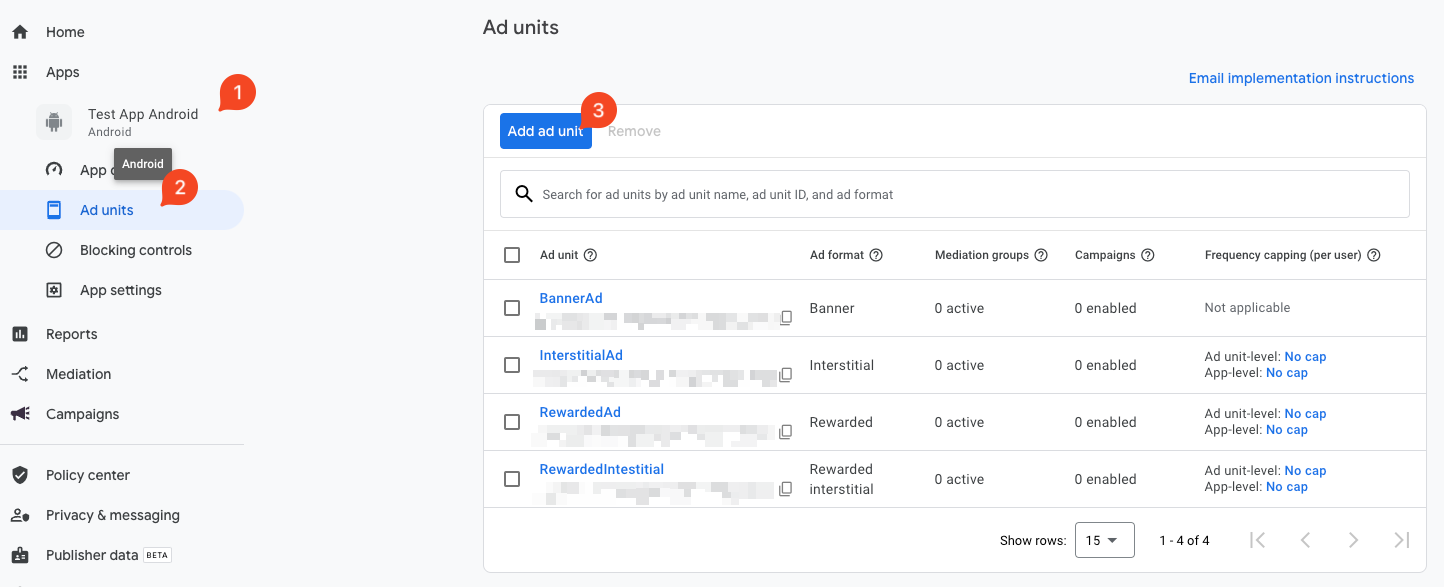
You need to create 4 different ad units. One for each type of ad:
Banner,Interstitial,Rewarded, andRewarded Interstitial.Click on the ad unit you created and copy the
Ad Unit ID. Paste it in your.envfile under these keys:a.
ANDROID_BANNER_AD_UNIT_IDb.ANDROID_INTERSTITIAL_AD_UNIT_IDc.ANDROID_REWARDED_AD_UNIT_IDd.ANDROID_REWARDED_INTERSTITIAL_AD_UNIT_IDCopy the
App IDfrom the Admob dashboard and paste it in yourAndroidManifest.xmlfile under the<meta-data>tag.
<meta-data
    android:name="com.google.android.gms.ads.APPLICATION_ID"
    android:value="YOUR_ADMOB_APP_ID"/>
Also, add the app id to your .env file under the key ANDROID_ADMOB_APP_ID. If you also have an iOS app, you need to add the app id to the Info.plist file and in the .env file under the key IOS_ADMOB_APP_ID.